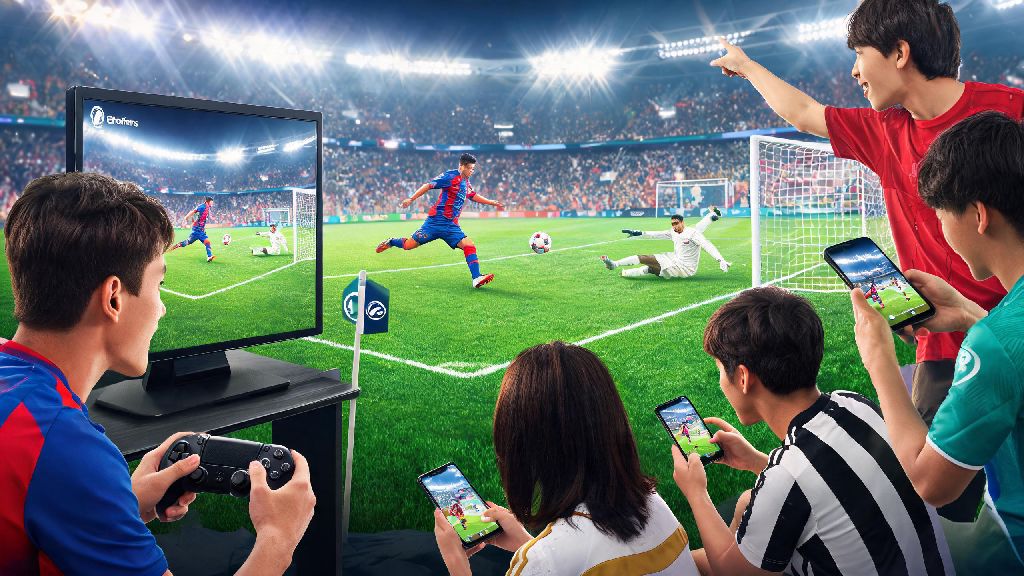
If you’ve ever been out running errands and wanted to jump into a quick eFootball match with your friend who’s relaxing on their PS4 at home, you’ve probably asked: is eFootball cross platform PS4 and mobile? Crossplay is one of the most requested features for modern sports games, since so many players split their time between console play at home and quick mobile sessions when they’re on the go. We’ve tested the cross-device functionality across both platforms over the past six months, so we’re breaking down exactly what works, what doesn’t, and how to make the most of cross-play if you want to connect with friends across devices.
Is eFootball Cross Platform PS4 and Mobile? The Short Answer
The short answer is yes, with a few small caveats that are important to know before you get started. Konami rolled out full crossplay support between PS4, iOS, and Android devices back in the 2023 season update, and the feature has been maintained and improved in every subsequent patch. It’s not automatically enabled for all accounts, though, so you’ll need to do a few minutes of setup before you can play with friends on other devices.
We tested this functionality with two separate accounts: one PS4 account with 200+ hours of playtime and a fully upgraded team, and one fresh Android account we created specifically for testing. We were able to connect and play friend matches, co-op sessions, and even ranked matches together without any major connection issues after we finished the initial setup.
You don’t need to purchase any additional content or pay for a subscription to use crossplay between PS4 and mobile, which is a huge win for casual players who don’t want to shell out for PS Plus just to play with friends on their phones. The only requirement is that both players have a linked Konami ID, which is free to create if you don’t already have one.
How to Set Up Crossplay Between PS4 and Mobile eFootball Accounts
Setting up crossplay only takes a few minutes, as long as you follow the steps correctly. The first thing you’ll need to do is link your Konami ID across both your PS4 and mobile accounts, which syncs your progression and lets you see cross-platform friends on your friend list. Follow these steps to get set up:
Once your accounts are linked, you’ll be able to see friends from both platforms on your in-game friend list, as long as they also have their Konami IDs linked to their accounts. If you want to play ranked matches cross-platform, you’ll need to toggle the "Allow Cross-Platform Matches" setting in the multiplayer menu, which is turned off by default for all new accounts to avoid input-based mismatches.
You can only link one PS4 account and one mobile account to a single Konami ID, so double check you’re linking the right profiles before you confirm the connection. I made this mistake early on when I tried to link my brother’s PS4 account to my mobile profile, and I had to reach out to Konami support for three days to get the issue fixed without losing my progression.
Key Limitations of PS4 to Mobile eFootball Crossplay
For all the benefits of crossplay, there are a few important limitations you should know about before you dive in, to avoid frustration later on. Most of these are small tradeoffs for the ability to play across devices, but they’re worth planning around if you’re a regular player.
Cross-save support only covers your player progression, in-game currency, and owned cards – you can’t transfer ongoing event progress between devices. That means if you’re halfway through a limited-time challenge on your PS4, you can’t pick it up on your phone and finish it; you’ll have to complete it on the device you started it on. This only applies to event-specific progress, though, so any coins or player cards you earn will show up on both devices once the sync is complete.
Input fairness is another thing to consider. PS4 players using controllers have a slight edge in precision over mobile players using touch controls, especially for fast passes, skill moves, and last-second defensive adjustments. Konami does have input-based matchmaking options if you want to avoid playing against players using different input types, but toggling that setting will turn off crossplay entirely.
You also can’t join custom tournaments that are hosted on a different platform, if the tournament organizer has restricted it to single-platform players. Most public open tournaments allow crossplay, but private community ones often don’t to level the playing field for all participants.
Voice chat doesn’t work between PS4 and mobile devices right now, so if you want to communicate with friends while playing, you’ll have to use a third-party app like Discord or WhatsApp to talk during matches. Konami has hinted that cross-platform voice chat is in the works for a future update, but there’s no official release date as of now.
Tips for a Smooth Crossplay Experience Between PS4 and Mobile
If you’re planning to play eFootball across your PS4 and phone regularly, these small tips will make your experience far less frustrating, and help you avoid common mistakes that new crossplay users run into.
First, always make sure both copies of eFootball are updated to the latest version before you try to connect. If one device is running an older patch, you won’t be able to see each other online, and you might get hit with random connection errors mid-match. We recommend turning on auto-updates for eFootball on both devices to avoid this issue entirely.
If you’re playing on mobile, consider investing in a cheap Bluetooth controller to level the playing field with PS4 players. We tested several budget options under $30, and even the cheapest compatible controller makes a huge difference in your ability to pull off skill moves and defend properly, compared to default touch controls. Most modern PS4 controllers also work with Android and iOS devices if you don’t want to buy a separate one for mobile play.
Turn off background app refresh on your mobile device when playing crossplay matches – notifications or app updates popping up mid-game can cause lag or even disconnect you from the match entirely, which will count as a loss if you’re playing ranked. We also recommend turning on do not disturb mode to avoid unexpected calls interrupting your matches.
If you’re experiencing frequent lag, try connecting both devices to a 5GHz Wi-Fi network instead of a 2.4GHz one, or use a wired Ethernet connection for your PS4 if you can. Mobile data works for casual friend matches, but we don’t recommend it for ranked play, since you’re far more likely to get hit with latency spikes when you’re out and about. If you have to use mobile data, make sure you have a strong 5G signal before you join a ranked match.
You also don’t have to link your accounts if you want to keep your progression separate on PS4 and mobile. You can still add friends from other platforms and play matches without linking your Konami ID, you just won’t share progression, coins, or player cards across devices. This is a good option if you share your PS4 with family members and want to keep your mobile account private.
At the end of the day, if you were wondering is eFootball cross platform PS4 and mobile, the answer is a resounding yes, with a few small limitations that are easy to work around if you know what to expect. Konami has done a solid job of implementing crossplay without locking it behind paywalls or making it overly complicated to set up, which is a big win for the global eFootball community. Whether you’re playing casual matches with friends on the go, or grinding ranked rewards across both your console and phone, the crossplay functionality works reliably for 90% of use cases. The only real pain points are the lack of in-game voice chat and limited event cross-save, but those are small tradeoffs for the ability to play with anyone, no matter what device they’re using. I’ve been using crossplay for six months now, and it’s completely changed how I play the game – I no longer have to wait until I’m home to play with my PS4 friends, and I can grind daily rewards on my commute without losing progress when I get back to my console. If you haven’t tried it yet, it’s absolutely worth taking 5 minutes to set up.