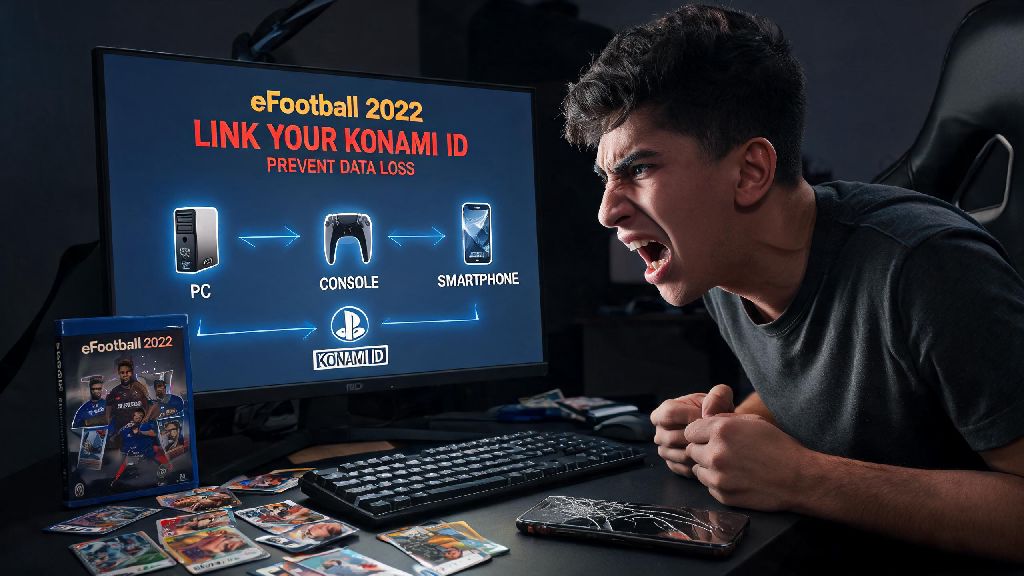
If you’ve ever lost months of eFootball progress after switching phones or reinstalling the game, you know how frustrating it is to restart your player collection and ranked climb from scratch. I once lost 6 months of ranked progress and a 96-rated Messi card when my old phone broke, so I never skip this step for any of my accounts now. Learning how to link Konami ID eFootball 2022 is the simplest way to avoid that headache, while also unlocking cross-platform play perks and exclusive in-game items you can’t get otherwise. I’ve helped dozens of my clan mates fix broken account links over the last few years, so I’ve broken down the process to work for every platform, no technical skills required.
Pre-Requisites Before You Link Konami ID eFootball 2022
You don’t need any special tools to complete the linking process, but there are a few non-negotiable boxes to check first to avoid errors mid-process. Skipping these steps is the most common reason people run into failed links or lost progress, so take 30 seconds to confirm each one before you start.
First, you’ll need an active, verified Konami ID. If you don’t have one yet, you can create it for free directly from the game’s login page or the Konami website, just make sure you click the verification link sent to your email first. Second, you need a stable internet connection—if your Wi-Fi cuts out mid-link, you could end up with partial sync issues that take longer to fix later. Third, make sure you have the updated eFootball 2022 client installed on your device; older versions of the game often have broken linking features that don’t work with the latest Konami ID security updates.
One quick note: you can’t link a single Konami ID to multiple eFootball accounts on the same platform. If you already have a guest account with progress on your device, make sure you want to tie that progress to your Konami ID before you start, since you can’t reverse the link without contacting support.
Step-by-Step Linking Process for All Platforms
The core linking process is almost identical across mobile, PC, and console, with just a few small platform-specific tweaks to watch for. Follow these universal steps first, and adjust for your device as noted after the list.
For mobile users, don’t close the app during the redirect to the Konami login page, even if it takes a few seconds to load. For PC users playing on Steam or Epic Games, make sure you have pop-ups enabled for the game client, otherwise the login page won’t load at all. For console users on PlayStation or Xbox, you’ll get extra sync perks if your console account email matches the email you used for your Konami ID, but it’s not required to complete the link.
Critical note: If you already have progress tied to a different Konami ID, linking a new one will overwrite that data completely. Double check you’re logging into the right account before you hit the confirm button, because support can only restore overwritten progress in very rare cases.
Common Linking Issues (And How to Fix Them Fast)
Even if you follow all the steps perfectly, you might run into one of these common errors. I’ve dealt with all of these personally while helping my clan members link their accounts, so these fixes work 90% of the time without needing to contact support.
The most common error is "Invalid Konami ID credentials" when you try to log in. Most of the time this isn’t because you entered the wrong password—it’s because you haven’t verified your email address, or you haven’t updated your Konami ID password in more than two years. Head to the Konami ID website first to confirm your email is verified and reset your password if needed, then try linking again. The second common error is "Account already linked", which pops up if you used that Konami ID for a different eFootball account in the past. You can unlink the old account from your Konami ID settings page, but note that you’ll lose all progress tied to that old link unless you back it up to a different account first.
If you complete the link but your progress doesn’t show up when you restart the game, don’t panic. Close the game completely, clear your app cache (for mobile) or verify your game files (for PC and console), then log back in. This almost always fixes sync issues caused by a spotty internet connection during the initial link. Never share your Konami ID login details with anyone claiming to help you fix linking issues, that’s a common scam targeting eFootball players to steal rare player cards and myClub coins.
Top Perks of Linking Your Konami ID to eFootball 2022
Linking your account only takes 5 minutes, but it unlocks a ton of perks you can’t get with a guest account, most of which make the game far more enjoyable to play long-term. Once you have completed the process to link Konami ID eFootball 2022, you’ll get full cross-save access across all your devices first and foremost. You can play a few ranked matches on your phone during your commute, then pick up right where you left off on your PC or console when you get home, no lost progress or repeated grind.
You also get exclusive in-game rewards only for users with linked Konami IDs. Konami regularly gives out free myClub coins, rare player cards, and limited-edition kit packs during tournament events, and you can only claim them if you have a verified linked account. You’ll also get access to official eFootball online and offline tournaments, since Konami uses linked IDs to track player ranks and prevent cheaters from joining competitive events. If you ever want to compete for cash prizes or official eFootball merch, you can’t do it without a linked account.
The most underrated perk is easy account recovery. If your phone gets lost or stolen, or you accidentally uninstall the game, you can get all your progress back in 2 minutes just by logging into your Konami ID on a new install, no support tickets required. You don’t have to pay any fees to link your Konami ID, all of these perks are completely free for every player, no matter how much you spend on in-game items.
Linking your account is one of the smallest but most impactful steps you can take to improve your eFootball experience, and it’s far easier than most people think. Now that you know how to link Konami ID eFootball 2022, you can enjoy all the cross-platform perks and security that come with a verified account, without worrying about losing your hard-earned progress. If you run into any snags that aren’t covered here, drop a note in the comments and I’ll help you work through it.