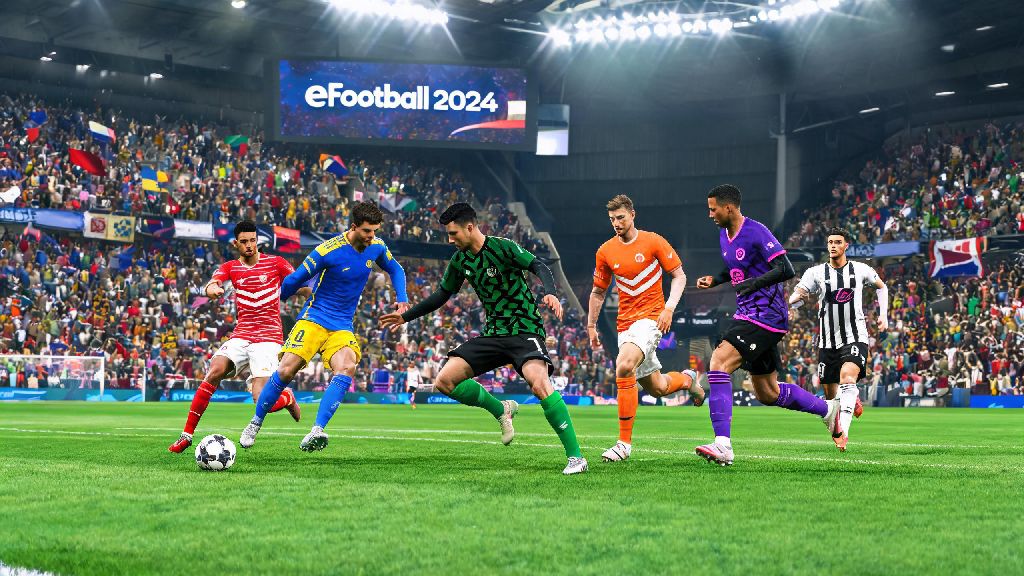
If you’ve ever loaded into an exhibition match only to realize your team is stuck in a dull away kit that clashes with your opponent’s colors, you already know how frustrating small customization gaps can be. Knowing how to change uniform in eFootball 2024 doesn’t just make your matches look better—it also helps you avoid visibility issues that can throw off your gameplay, especially in fast-paced online matches. I’ve spent months testing every customization feature in the game, from basic kit swaps to custom user-created uniform imports, and I’ve put together this guide to cover every scenario you might run into, no matter which mode you play most.
Step-by-Step Process to Change Uniform in eFootball 2024 for Offline Modes
Offline modes including Exhibition, Master League, and Local Friendlies have the fewest restrictions when it comes to kit swaps, so this is the best place to start if you’re new to customization. The process is nearly identical across all console and PC platforms, so you won’t have to learn separate steps depending on what device you use.
First, From the main menu, navigate to the match setup screen after you select the offline mode you want to play. Once you pick your team and your opponent’s team, you’ll see a small shirt icon directly under your team badge on the pre-match screen. Click that icon to pull up the full list of kits available for your selected team. You’ll see options for home, away, and third kits, plus any special edition kits you’ve unlocked for that club.
You can preview any kit before selecting it by hovering over the icon for 2 seconds to see a full 3D render of what it will look like on players in the match. Once you find the kit you want, just confirm your selection, and it will load automatically when the match starts. For Master League players, you can set a default home and away kit in the Team Settings menu so you don’t have to swap manually before every match. That saves a ton of time if you play multiple Master League sessions a week.
One thing to note for offline mode: if you’re playing with unlicensed teams, you’ll only have access to generic default kits unless you import custom user-created kits for those clubs. Unlicensed national teams also have limited kit options, so you might not see third or special edition kits available for those squads.
How to Swap Uniforms for eFootball 2024 Dream Team and Online Modes
Online modes have a few more restrictions than offline play, mostly to prevent unfair play like intentional kit color clashes that make it hard to tell teams apart. The biggest difference is that for Dream Team modes, you can only use kits that you’ve added to your personal inventory, rather than having full access to every club’s default kit library.
To set a default uniform for your Dream Team, head to the My Team tab from the main menu, then select Customize, then Uniform. You’ll see all the kits you’ve earned or purchased listed here, and you can set separate defaults for home and away matches. If you’re playing a casual online friendly or co-op match, you can also swap kits in the pre-match lobby, as long as your selected kit doesn’t clash with your opponent’s choice.
There are a few hard rules for online kit swaps that you won’t see in offline mode, so it’s good to remember these to avoid last-minute surprises:
You can only use kits you have added to your Dream Team inventory, so if you see a kit you like in the event store, make sure to claim it before it expires, or you won’t be able to use it in online matches. I learned this the hard way when I missed out on a limited edition Champions League final kit last year because I waited too long to claim it from the event pass.
Tips to Unlock Custom and Limited-Edition Uniforms in eFootball 2024
Default club kits are fine, but half the fun of customization is using rare, limited-edition kits that make your team stand out from every other Dream Team in online lobbies. There are a few easy ways to unlock these kits without spending real money, if you know where to look.
First, check the weekly event store every Tuesday, when Konami adds new rewards and limited-time kits. Most event kits can be earned for free by completing simple challenges, like winning 3 matches with a specific club or scoring 5 goals with players from a certain national team. These challenges only take 30-45 minutes to complete, so it’s worth checking in each week to see what’s available.
Limited-edition national team and club kits are only available for 2-4 weeks during their respective event windows, so if you see a kit for your favorite team, don’t wait to complete the challenge to unlock it. Once the event ends, these kits almost never come back to the store, so they’re a great way to show off how long you’ve been playing the game.
If you’re playing on PC or PlayStation 5, you also have the option to import custom user-created kits from the community library. These kits are made by other players, and you can find almost every unlicensed club’s real kit, plus custom fan-made designs that you won’t find anywhere else in the game. Just make sure to avoid kits with copyrighted logos or offensive content, since those can get flagged and removed from your inventory, or even lead to a temporary online ban in extreme cases.
Players who purchased the premium edition of eFootball 2024 also get access to exclusive premium club kits and special edition national team kits that aren’t available to free-to-play users, so that’s another option if you want access to rarer designs without grinding event challenges.
Troubleshooting Common Uniform Change Errors in eFootball 2024
Even if you follow all the steps correctly, you might run into the occasional glitch or error when trying to change your uniform, especially after a new game patch. Most of these issues are easy to fix with a few simple workarounds, so you don’t have to wait for an official patch to get your favorite kit working again.
The most common kit display error happens when your selected kit has a similar color palette to your opponent’s, so the game will automatically swap your kit to a default option to make it easier for both players to tell teams apart. This isn’t a glitch, it’s an intentional feature to prevent unfair play, so if you keep running into this issue, just set a high-contrast third kit as your secondary default for away matches, so you’ll never run into color clash issues again.
Another common error is when your selected kit doesn’t save to your Dream Team default settings. This usually happens when your customization inventory is full, so head to your inventory and delete any old kits or customization items you don’t use anymore, then try saving the kit again. If that doesn’t work, a quick game restart almost always fixes the issue. I run into this glitch at least once a month after new patches drop, so this is the first fix I always try.
If you’re using custom imported kits and they show up as blank or distorted in matches, that’s usually a file compatibility issue. Try re-downloading the kit file from the community library, or pick a different version of the same kit made by another creator. Older custom kits made for previous versions of eFootball often don’t work correctly in 2024, so make sure you’re downloading files marked as compatible with the 2024 version of the game.
For players on older consoles like the PlayStation 4 or Xbox One, you might experience slow kit load times in the pre-match menu. Don’t click the select button multiple times if the kit doesn’t load right away, because that can cause the game to crash, and you might lose any unsaved customization changes you’ve made. Just wait 10-15 seconds for the kit to load, and it will show up eventually.
At the end of the day, knowing how to change uniform in eFootball 2024 is a small tweak that makes every match feel a lot more personal, whether you’re playing a casual local friendly with your friends or grinding for a higher rank in Dream Team. Don’t forget to check the weekly event tab for new limited kit drops, and if you run into a glitch that isn’t covered here, the official eFootball community forums usually have workarounds posted within hours of a new patch releasing. Customizing your team’s kit might not make you a better player, but it definitely makes losing a little less frustrating when your team looks good doing it.