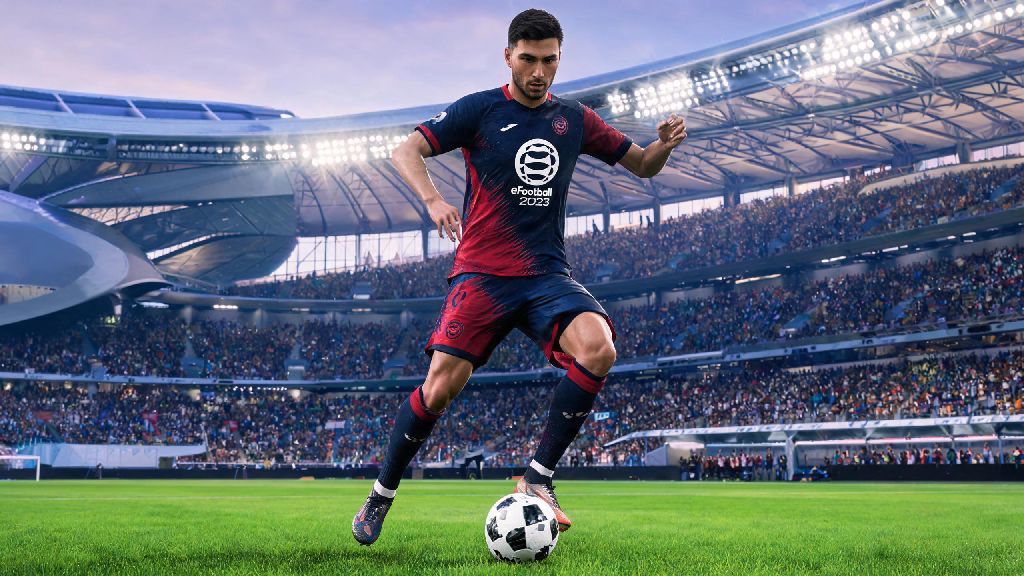
Whether you’re stuck on a long flight with no Wi-Fi, dealing with a sudden internet outage at home, or just want to practice skill moves without risking your online rank, you’ve probably wondered if there’s a way to play your favorite football game without connecting to servers. It’s one of the most common questions casual and regular eFootball players ask: can you play eFootball 2023 offline? The short answer is yes, but there are a few important rules, limitations, and steps you need to know before you cut off your internet connection and boot up the game. This guide breaks down everything you need to make the most of eFootball 2023’s offline features, no stable internet required.
What Offline Play Modes Are Available in eFootball 2023?
Konami built eFootball 2023 with both online and casual offline players in mind, so you get access to a solid range of modes that don’t require any internet connection after initial setup. You won’t get access to the popular Dream Team mode or live online events, but the offline offerings are more than enough for casual play or skill practice.
The most popular offline modes include Offline Friendly Matches, where you can play against the AI or a local friend on the same device, with full control over team selection, difficulty level, and match rules. If you want a more competitive experience, you can jump into Offline Tournament Mode, which lets you simulate real-world competitions like the World Cup or league seasons, play through every match, and lift trophies without ever going online. Training Mode is another fan favorite for offline play, as it lets you practice dribbling, passing, set pieces, and new skill moves at your own pace with zero pressure.
You can even play local co-op with up to three friends on the same device, depending on your platform, to play casual 2v2 or 3v3 matches without connecting to eFootball’s servers. Offline play works perfectly for a ton of different use cases:
All offline modes save your progress locally to your device, so you don’t have to worry about losing tournament wins or training progress if you stay offline for extended periods.
Can You Play eFootball 2023 Offline on All Platforms?
Offline play is supported across all platforms that run eFootball 2023, but there are small differences in access rules depending on whether you play on console, PC, or mobile. The one universal rule for all platforms is that you need to complete an initial one-time online activation before you can access any offline modes. This activation takes less than five minutes, and all you have to do is install the game, log into your Konami account, and download any mandatory updates while connected to the internet.
For PlayStation 4, PlayStation 5, Xbox One, and Xbox Series X/S users, offline play works seamlessly after that initial activation. You just need to set your console to offline mode, boot up the game, and all offline modes will be available immediately. If you share your console with other users, make sure your Konami account is set as the primary account on the device to avoid access issues when you’re offline.
PC users have the same rules as console players, but you’ll need to make sure you’re launching the game from the same store account you used to purchase or download it. If you bought the game on Steam, for example, you’ll need to set Steam to offline mode before launching the game to access offline features. Mobile users have the most limited offline access: you can only access training mode and basic friendly matches offline, and you may be required to connect to the internet for a quick account check every few days to keep playing.
You don’t need any paid DLC or additional purchases to access the core offline modes, so even if you’re playing the free-to-play version of the game, you can still enjoy offline matches once you complete that initial activation step.
Common Issues That Stop You From Playing eFootball 2023 Offline (And Fixes)
Even if you’ve completed the initial activation, you might run into errors when you try to play eFootball 2023 offline. Most of these issues are easy to fix with a few quick steps, and you won’t need to contact support to resolve them.
The most common issue is trying to play offline before you’ve installed all mandatory game updates. Outdated game versions often have bugs that block offline access, so if you get an error message when you launch the game offline, connect to the internet for 10 minutes to download any pending patches, then try again. Another common issue is corrupted game files, which can happen if your device shuts down unexpectedly during an update. For PC users, you can verify the integrity of game files through your store client, and console users can delete and reinstall the game to fix corrupted files.
If you’re on a console and get a message saying you don’t have permission to play the game offline, double check that your Konami account is set as the primary account on your device. If you’re using a shared or secondary account, you won’t be able to access offline play without an internet connection. Mobile users who can’t access offline modes should make sure they’re running the latest version of the app, and that they’ve logged into their Konami account at least once in the last 7 days.
One small thing most players miss: if you’ve downloaded paid DLC like extra team packs or stadiums, you need to make sure those files are fully installed while you’re online before you try to access them offline. If they’re not fully downloaded, they won’t show up in your offline mode library.
Is Offline eFootball 2023 Worth Playing Compared to Online?
It’s no secret that eFootball 2023’s online mode gets most of the attention from Konami and the player community, but the offline mode is still worth playing for a lot of users. The biggest benefit of offline play is that you don’t have to deal with lag, server outages, or toxic players, which are common complaints with the online mode. You can play at your own pace, adjust the AI difficulty to match your skill level, and experiment with new tactics without any pressure.
That said, there are some clear limitations to offline play you should know about. You won’t be able to access the Dream Team mode, which is the core online mode where you build your own custom team and compete against other players around the world. You also won’t get live event rewards like new player cards, coins, or cosmetics that are only available for online players. The player and team data in offline mode is also fixed to the last update you installed, so if a player gets transferred or gets a stat upgrade online, you won’t see those changes in your offline game until you connect to the internet again to download the latest roster update.
If you’re a casual player who just wants to play quick matches with friends or practice your skills between online sessions, offline mode is perfect. If you’re a more competitive player who wants to climb ranks, collect rare player cards, or participate in limited-time events, you’ll still need to connect to the internet to get the most out of the game.
It’s also a great option for parents who want to let their kids play the game without worrying about them interacting with strangers online or making accidental in-game purchases. All offline modes have no in-game purchase prompts or chat features, so it’s completely safe for younger players.
So back to the original question: can you play eFootball 2023 offline? The answer is a clear yes, as long as you complete that quick one-time online activation, download all mandatory updates, and stick to the supported offline modes. Whether you’re traveling, dealing with an internet outage, or just want a low-pressure way to practice your skills, the offline mode offers more than enough content to keep you entertained for hours. Just make sure to download any updates or DLC you want to use before you go offline, and you’ll be ready to play whenever you need it.