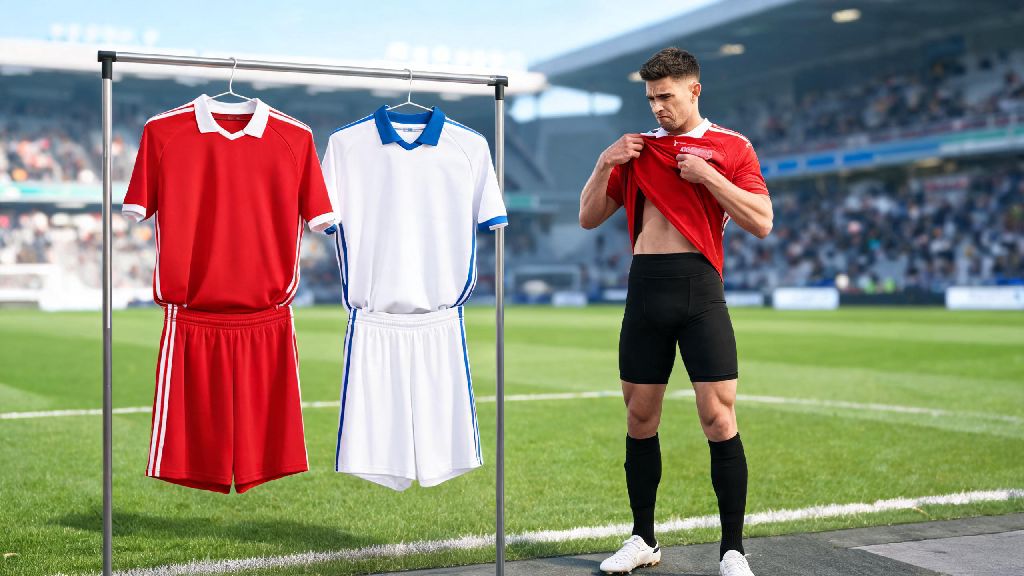
Nothing kills the vibe of a casual eFootball session faster than loading into a match and realizing your team’s kit clashes so badly with the opponent that you can barely tell your players apart. I’ve been there, fumbling through half a dozen menus mid-warmup trying to switch to an away kit while my friend laughed at how long it was taking me. If you’ve ever struggled to find the right setting, this guide breaks down exactly how to change jersey in eFootball across all modes, plus extra tips to get the most out of your kit options.
Step-by-Step Process to Change Jersey in eFootball Before Matches
The process varies slightly depending on what game mode you’re playing, but the core steps stay the same for console, PC and mobile versions of the game. You don’t need any special unlocks to switch between default home and away kits for any licensed team in the game. This quick process works for every game mode, so you won’t have to learn separate steps depending on whether you’re changing your jersey for a My Club match or an offline friendly.
First, From the main menu, navigate to the match preparation screen that loads right before you enter a game. This screen shows your starting lineup, formation, and other match settings. Look for the small “Kit” icon usually located in the top right or bottom left corner of the screen, depending on your platform.
Select the Kit tab, and you’ll see all available jerseys assigned to your current team. For home matches, you’ll get first pick of your kit options, and the away team will be able to choose a contrasting kit after you confirm your selection. For away matches, you’ll only see options that don’t clash with the home team’s pre-selected kit in ranked modes.
Once you pick the jersey you want, save your selection and go back to the match prep screen. The change will apply immediately, and you’ll see your team wearing the new kit during the pre-match cutscene and the full game. If you’re playing offline, you can even change your jersey at halftime by pausing the game and navigating to the same Kit tab in the match settings menu.
How to Unlock and Assign Custom Jerseys to Your Team
Default home and away kits are fine for casual play, but most long-term eFootball players love using rare or custom kits to show off their favorite clubs or personal style. You can upload your own custom jersey designs on PC and console versions, or unlock official limited-edition kits through in-game activities.
You can only use custom uploaded jerseys in unranked and private lobbies to keep ranked competitive play fair for all users. Official licensed kits you unlock through in-game challenges can be used in all modes, including ranked Division matches and eFootball League games.
There are three main ways to get new official jerseys for your teams:
To assign an unlocked kit to your team, go to your My Team profile, select the “Customize” tab, and choose “Kit Settings”. You can set default home, away, and third kits for all game modes, so you don’t have to pick them manually before every match. For unlicensed teams, you can also edit the default jersey colors, crest, and sleeve patches to match your favorite unlicensed club for free, no unlock required.
Fixing Common Jersey Change Errors in eFootball
Even if you follow all the steps correctly, you might run into common errors that stop your jersey change from applying. Most of these issues have simple fixes, and you don’t need to reinstall the game or reset your settings to resolve them. If you’re still having trouble changing your jersey after trying these fixes, you can check the official eFootball support page for platform-specific troubleshooting steps.
The most common issue is the Jersey clash error in ranked matches. If the game pops up a notification saying your selected kit clashes with the opponent’s, you just need to pick a different kit from your available options. Ranked modes automatically block kits that are too similar in color or pattern to avoid visibility issues for both players. I once tried to use a dark blue away kit against a team with a black home kit in a ranked match, and it took me three tries to pick a light enough kit that the game accepted.
Another common error is custom jerseys not showing up in your kit selection. This almost always happens because you’re trying to use a custom kit in a ranked mode, where custom designs are banned. If you’re in an unranked mode and still can’t see your custom kit, make sure you saved the design to your team profile first, and that you didn’t delete the original design file from your device.
If your assigned jersey resets to default after a game update, don’t panic. Major eFootball updates sometimes reset custom team settings to fix bugs. Just go back to your Kit Settings menu and reassign your preferred default kits, and the change will stay until the next major update. Always double-check your jersey selection after switching game modes to avoid loading into a match with the wrong kit, especially if you swap between ranked and unranked play often.
Pro Tips to Personalize Your Jersey Setup for Better Gameplay
Changing your jersey isn’t just about looking cool – it can actually give you a tiny competitive edge if you pick the right options for your playstyle and setup. I’ve tested dozens of jersey setups over the years, and these small tweaks have cut down my mispass rate by a noticeable amount, especially when I’m playing on a small mobile screen.
Pick high-contrast jerseys for competitive play so you can easily spot your players against the green pitch and the opponent’s kit. Bright colors like neon orange, yellow, or white work best for away kits, since most home teams use darker or more saturated colors. Avoid jerseys with busy all-over patterns, as they can blend into the grass or make it hard to tell individual players apart during fast counterattacks.
If you play both casual and competitive matches, set two different default jersey profiles. Use your favorite club’s home kit for offline play and casual lobbies with friends, and keep a plain high-visibility kit as your default for ranked matches. Most pro eFootball players use this trick to avoid visibility issues during high-stakes tournaments, and it works just as well for casual ranked grinders.
You can also adjust your jersey’s sleeve length and sock color in the Kit Settings menu for extra personalization. If you prefer the look of short sleeves, or want your socks to match your jersey instead of your team’s default away sock color, you can tweak those settings once and they’ll apply to all matches going forward. Just keep in mind that these small visual changes don’t have any impact on player stats, so you can adjust them however you like without affecting your performance.
Once you get the hang of the menu layout, knowing how to change jersey in eFootball takes less than 10 seconds before any match, whether you’re playing a quick casual game with friends or grinding for a higher rank in Division matches. Don’t let clashing kits or boring default designs ruin your gameplay experience – take a minute to set up your preferred kits, unlock rare designs through events, and pick high-visibility options for competitive play to get the most out of every session. I’ve had my neon orange ranked away kit saved as my default for six months now, and I haven’t had a single mispass from not being able to tell my players apart since I switched.