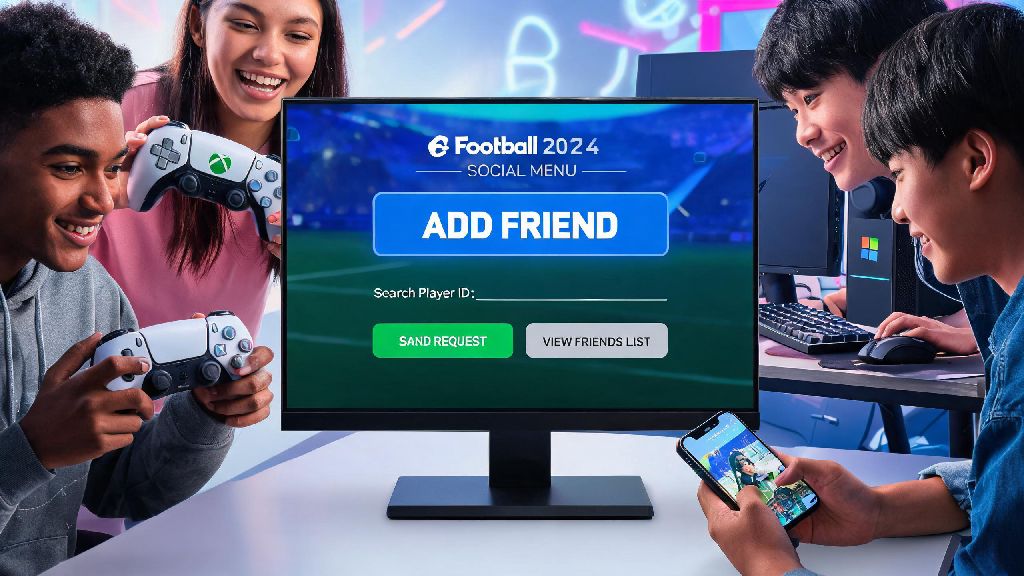
You just pulled a 98-rated Mbappé in your latest eFootball pack, and the first person you want to show off to is your best mate who’s been grinding the game just as hard as you. But when you go to send them a friend request, you get stuck navigating messy menus or hit a random error that won’t let your request go through. That’s a frustration almost every eFootball player has dealt with at least once, and that’s exactly why we put together this no-fluff guide covering how to add friends on eFootball 2024 no matter what device you play on. We’ve tested every step across PlayStation, Xbox, PC, and mobile to make sure every instruction works, so you can skip the menu hassle and jump straight to friendly matches or co-op Division matches together.
Step-by-Step: How to Add Friends on eFootball 2024 for Any Device
The core process for adding friends is consistent across all platforms, but there are small menu differences you need to watch for depending on what you’re playing on. Before you start sending requests, there are a few quick pre-checks to do first that will save you a ton of headaches later. We’ve listed them below to make sure you don’t waste time troubleshooting avoidable errors:
If you’re playing on PlayStation or Xbox, first navigate to the main menu and select the Friends tab on the top navigation bar. From there, select "Search for Friend" and choose the option to search by Konami ID instead of platform ID if you’re adding someone on a different device. Enter their ID, select their profile from the results, and hit send friend request. They’ll get a notification the next time they log in, or immediately if they’re already online.
For PC players, the friends menu is the small icon in the top right corner of the main screen that looks like two people. Click that, select "Add Friend", and enter either their Konami ID or exact display name. If you’re searching by display name, make sure you type any special characters or capitalization exactly right, otherwise you’ll pull up the wrong profile or no results at all. If you’re following the steps for how to add friends on eFootball 2024 on mobile, the process is almost identical to PC, just tap the three-line hamburger menu in the top left corner first to find the friends tab.
How to Send Cross-Platform Friend Requests in eFootball 2024
Cross-platform play is one of the best features of modern eFootball, but it’s also where most people run into issues when adding friends. A lot of new players try to search for their friend’s PSN ID, Xbox Gamertag, or Google Play ID, and that won’t work for cross-platform adds at all. Konami ID search is the only reliable way to add cross-platform friends, no matter what combination of devices you and your friend use.
To find your Konami ID, go to the Settings menu, select "Support", then "User Information". Your Konami ID is a 9-digit number that’s unique to your account, and it won’t change even if you switch devices or edit your display name. It’s way easier to share this 9-digit number with friends instead of trying to type out a complicated display name with emojis or special characters. We always recommend asking for someone’s Konami ID first if you can’t find them via display name search.
You don’t need a paid online subscription like PlayStation Plus or Xbox Live Gold to send or receive friend requests, but you will need one to play online matches together once your request is accepted. That’s an important detail a lot of new players miss, so don’t panic if you can’t join a match right after adding a friend if you haven’t activated your platform’s online subscription.
Fixes for Common eFootball 2024 Friend Request Errors
Even if you follow all the steps perfectly, you might run into the occasional error that stops your friend request from sending or showing up. Most of the issues people face when learning how to add friends on eFootball 2024 come from small, easy to fix mistakes, not major game bugs. We’ve compiled the most common errors and their fixes below based on hundreds of hours of playtesting and community feedback.
The most common error is "Friend Not Found". If you get this message, 9 times out of 10 you’re either searching for a platform ID instead of a Konami ID, or you misspelled their display name. Double check the ID or name you entered, and ask for their 9-digit Konami ID if you keep getting the error. The second most common error is "Request Failed to Send". This usually means either your friend has their privacy settings set to block incoming requests, or they’ve hit the 100 friend limit on their account. Ask them to check their settings or clear out old inactive friends if this happens.
If you send a request and your friend says they never got it, that’s usually a server sync issue. Restarting your game and checking for updates fixes 70% of friend request issues, so that’s the first thing you should try. If that doesn’t work, wait 10 to 15 minutes and resend the request, as server delays are common during peak play hours, especially after big game updates or event launches. If you’re on mobile, make sure you’re not using a guest account, because guest accounts can’t send or receive friend requests at all, even if you’ve been playing for months. You’ll need to link your account to a Konami ID first to access friend features.
Fun Things to Do With Friends on eFootball 2024 After Adding Them
Once your friend request is accepted, you unlock a ton of extra game content that you can’t access playing solo, so it’s well worth the small effort to add people you enjoy playing with. The most popular mode for friend groups is co-op Division matches, where you can team up 2v2 or 3v3 against other player groups online to climb the division ranks together. Co-op Division matches give 20% more GP and experience points than solo matches, so it’s also a faster way to level up your players and earn currency for new packs.
You can also create custom friendly matches with your own rule sets if you don’t feel like playing competitive matches. Turn off stamina loss, set the match length to 20 minutes, or restrict player ratings to only silver cards for a silly, low-stakes game with friends. You can even create custom tournaments for up to 16 players, with customizable brackets and rewards for the winner, which is perfect for group game nights with your friends.
Another underrated feature is the ability to watch each other’s match replays and leave comments. If your friend is struggling to beat higher division opponents, you can watch their last match and point out small mistakes they’re making, like bad pass timing or poor defensive positioning, to help them improve. You can also share clips of your best goals or crazy comeback wins directly to your friend list, so everyone can see that last-second bicycle kick you scored to win the division title.
At the end of the day, eFootball is way more fun when you’re playing with people you know, instead of randoms who quit the second they go 1-0 down in the first 10 minutes. Once you know how to add friends on eFootball 2024, you unlock a ton of extra game modes and fun that you’d never get playing solo. If you still run into issues after following all the steps above, you can always reach out to Konami support, but 9 times out of 10, the fixes we listed above will get your friend request sent successfully in minutes. Next time you pull a top tier player, you’ll be able to send them a message and hop into a match to show it off immediately, no menu headaches required.